
Download
Download
Download the Cleave server, choose a client library, or run an example application. Cleave is software you can install and operate yourself.
Visit the Cleave distribution repository for release artifacts and distribution information.
Server
Install the server as a compiled binary or run it in Docker.
| Release | Download |
|---|---|
| Latest server release | Release notes and assets |
| Previous server releases | All releases |
Docker
Pull the Cleave image from GitHub Container Registry:
docker pull ghcr.io/cleaveio/cleave:latestSuggested compose.yaml
Save this as compose.yaml for the server:
services:
  cleave:
    image: ghcr.io/cleaveio/cleave:latest
    ports:
      - "8080:8080"
    ulimits:
      nofile:
        soft: 65535
        hard: 65535
    pids_limit: 4096
    sysctls:
      net.core.somaxconn: 4096
Start the server with:
docker compose up -dLibrary
Client libraries help applications call Cleave without rebuilding request handling for each project. TypeScript/JavaScript and Rust clients are currently available; more languages will follow.
Browse the Cleave clients repository for client source and documentation.
| Language | Source and instructions |
|---|---|
| TypeScript / JavaScript | JavaScript client and README |
| Rust | Rust client and README |
Use the library README for the current installation steps and usage examples.
Examples
Explore the source and setup guides in Cleave examples. The examples include Docker Compose stacks for the applications and supporting services. You need Docker Compose v2 and a compatible Cleave server image; host Node, Rust, Python, and database installations are unnecessary for the Docker route.
The commands below follow the current README layout and run from the checkout root
containing examples/. Select the server image before starting a demo:
export CLEAVE_IMAGE=ghcr.io/cleaveio/cleave:latestRun one demo at a time: their ports overlap. Stop the current stack with its Compose
file's down command before starting another. This preserves saved database data.
Each example README has the complete configuration, credentials, and lifecycle instructions.
CRM
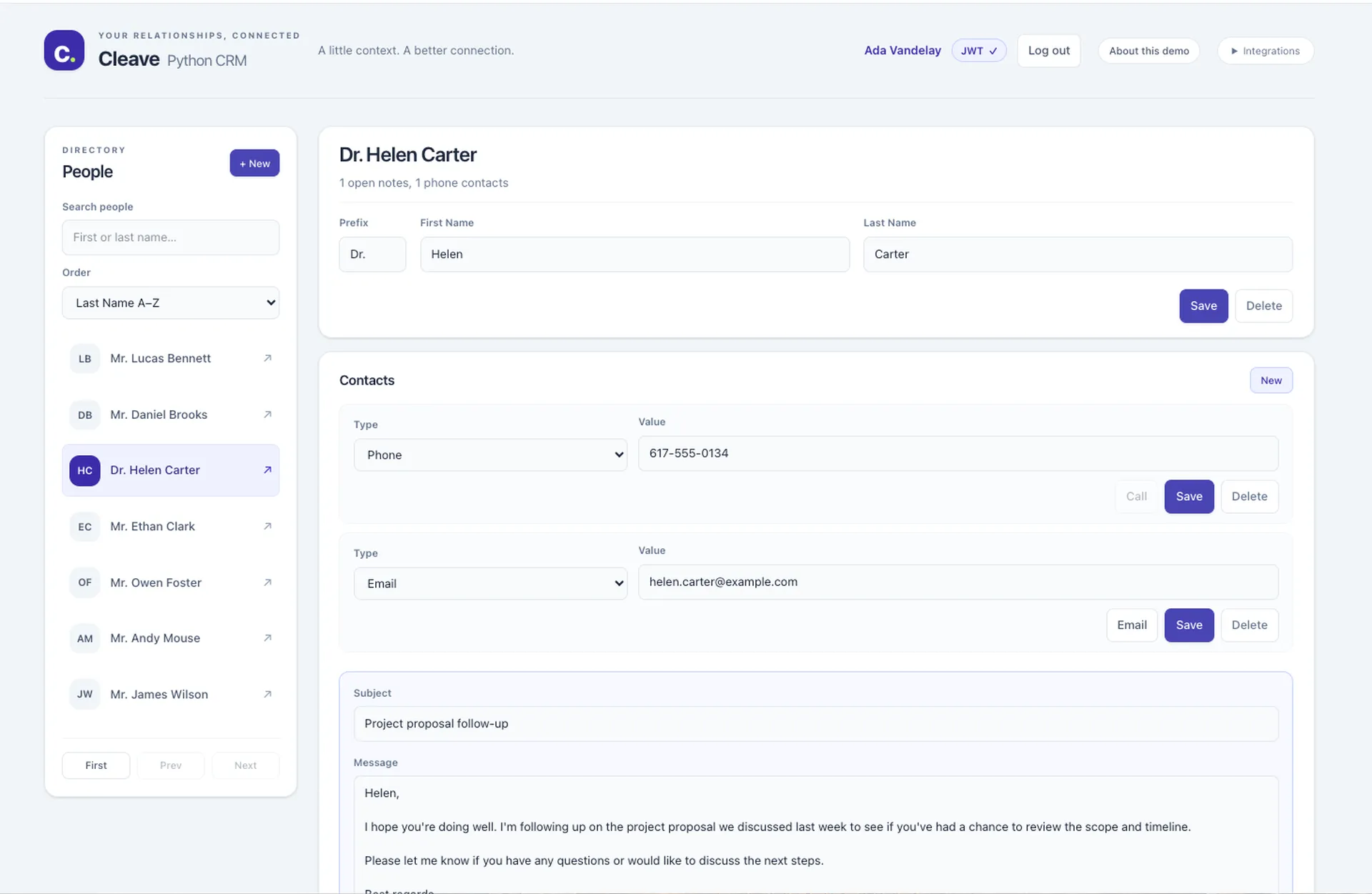
The CRM examples share the same people, addresses, contacts, and notes: plain JavaScript calls Cleave with browser fetch, Angular uses HttpClient, Node uses Express with the shared TypeScript client, and Python uses the Python client. Both Node and Python demonstrate user access through JWT identity and repository-level ACLs, with Cleave enforcing record permissions.
Node and Python also include an ELK stack—Elasticsearch, Logstash, and Kibana—for request logging and server metrics. Their prepared dashboards show request activity, response times, errors, and application actions alongside Cleave's operational logs.
Start the Node variant:
docker compose -f examples/crm/compose.yaml up -d --build nodeOpen http://127.0.0.1:8080. Substitute javascript or angular for node
to try another frontend.
Get the CRM examples and README.
Layout
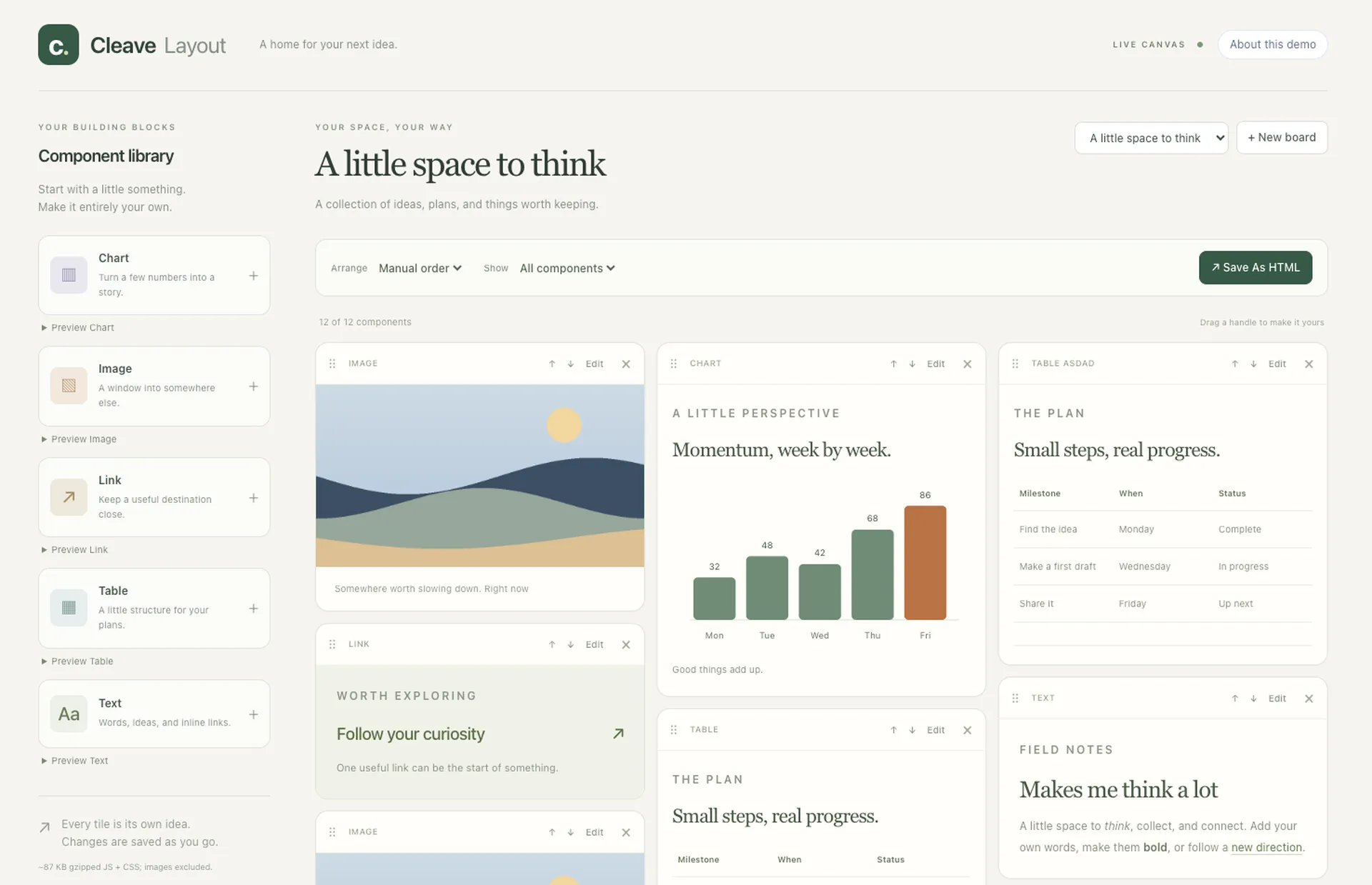
A tile-board editor built with JavaScript, Tailwind CSS, and Muuri, with Cleave as its application backend. Add text, images, tables, charts, and links; rearrange them on the board; and persist changes automatically. Export a board as an offline HTML snapshot.
docker compose -f examples/layout/compose.yaml up -d --buildOpen http://127.0.0.1:8080. The stack initializes its own database and starter board.
Ecommerce
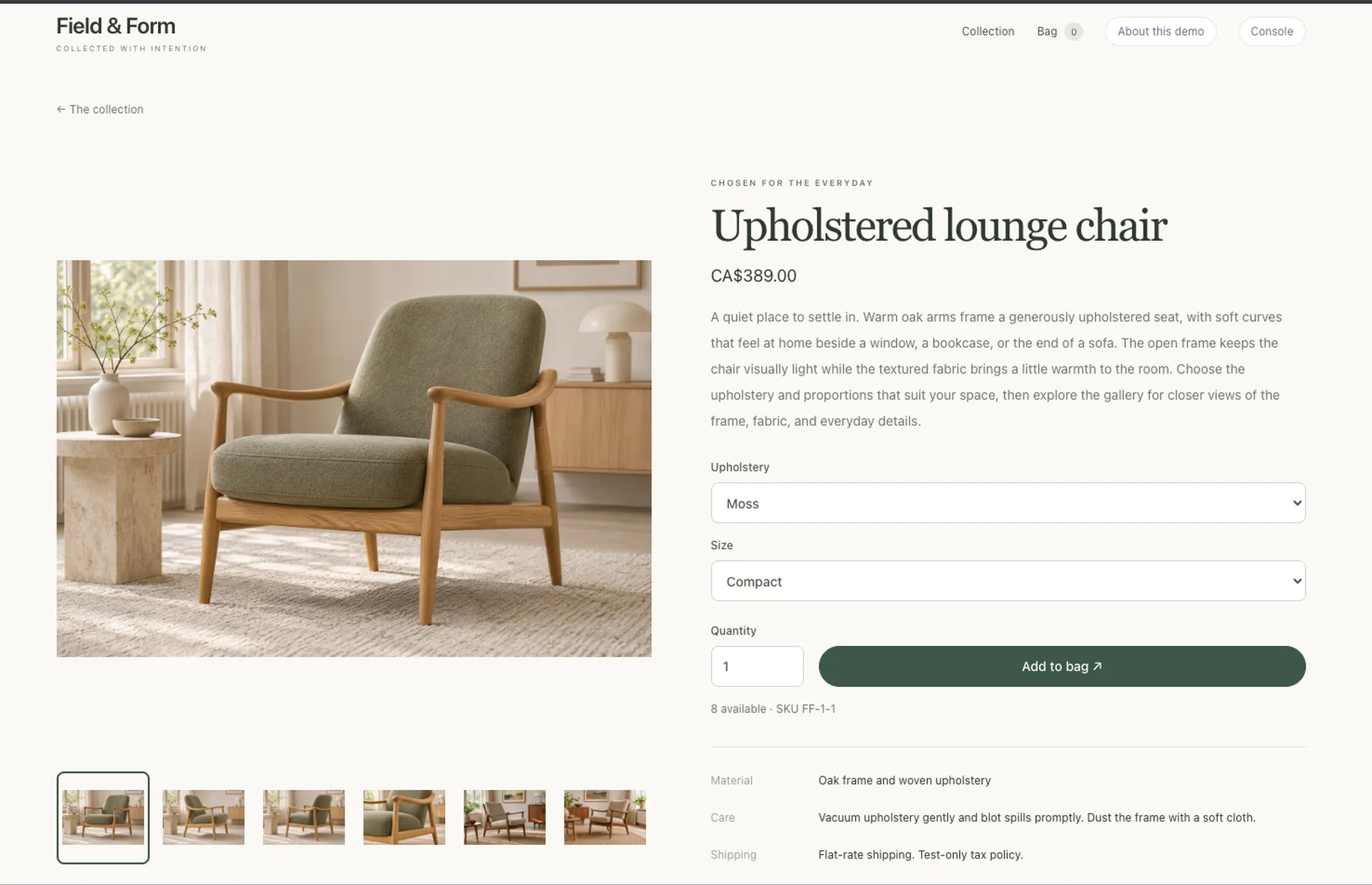
A Rust application serving two shops and a separate owner workspace, with Cleave for persistence. It includes product options, a browser cart, inventory management, and editable pages. Keycloak provides identity for owner sign-in; Stripe's API handles test-mode Checkout and payment webhooks. Stripe payments require your own test credentials and webhook configuration, described in the README.
docker compose -f examples/ecommerce/compose.yaml up -d --buildThe stack builds the application, starts MySQL and Keycloak, and initializes the
catalogue. Open http://shop-a.localhost:8080 or http://shop-b.localhost:8080;
the owner workspace is at http://owner.localhost:8081. See the README for generated
login credentials and Stripe setup.
Metrics
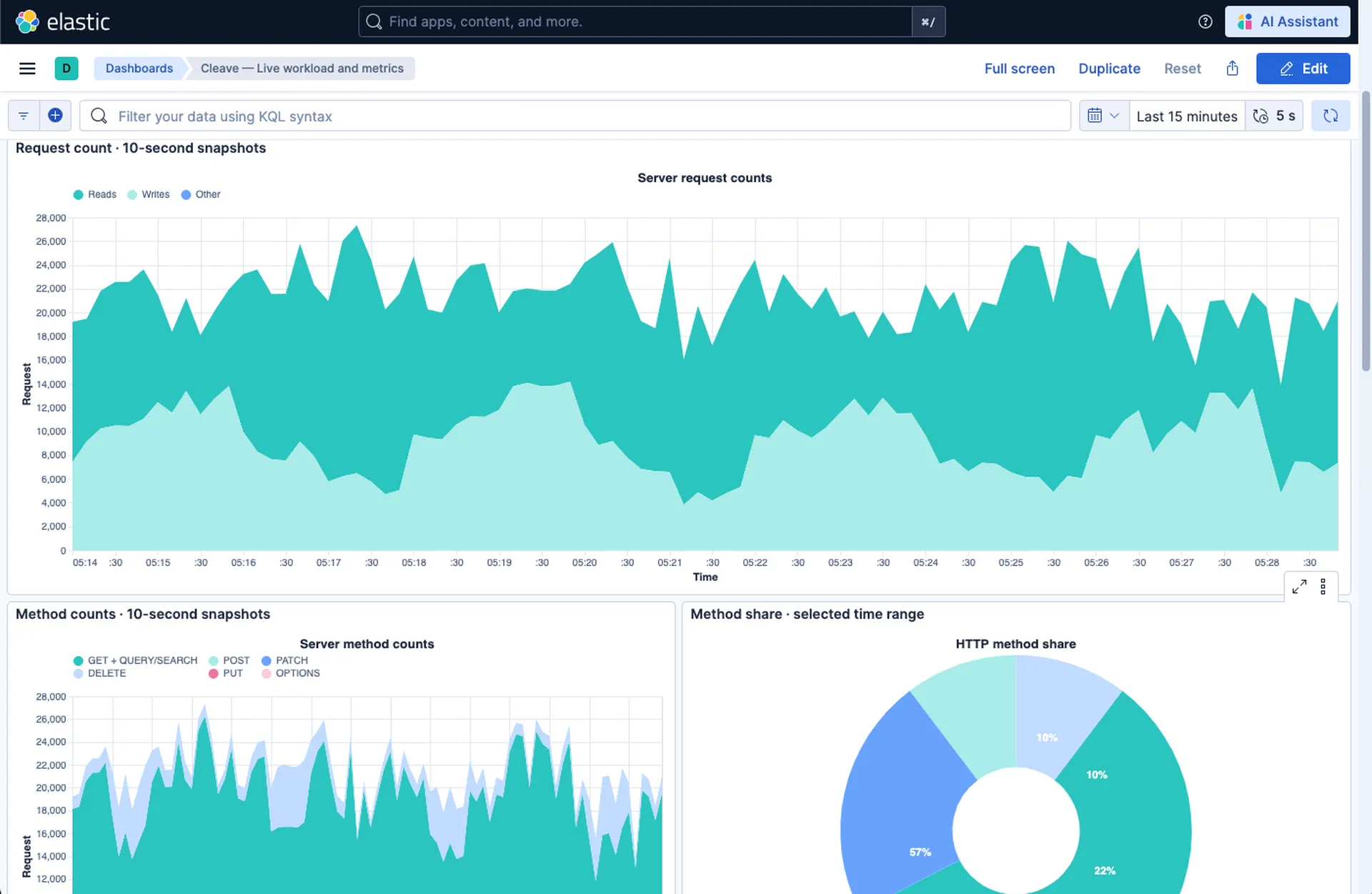
A live performance-tuning example with a continuous Python workload and an ELK dashboard. It cycles through read-heavy, update-heavy, replacement-heavy, and mixed activity, showing actual request counts, HTTP method mix, response times, and latency distributions. Adjust workload profiles and client concurrency to compare how Cleave and the repository behave under different demands.
Use it to investigate where capacity is needed: more reader or writer capacity, different pool sizes, better repository indexes, or more vCPUs. Compare the dashboard with repository and host measurements to distinguish CPU, I/O, and database bottlenecks. This helps assess whether you are paying for unused capacity or provisioning too little for your workload, and whether tuning the repository would help more than enlarging the Cleave server.
From the checkout root:
docker compose -f examples/metrics/compose.yaml up -d --buildOpen http://127.0.0.1:8080 after startup. Docker runs Cleave, MySQL, the Python
workload, and the ELK services; allow several minutes for initial setup. The
README explains workload controls and how to interpret the measurements.